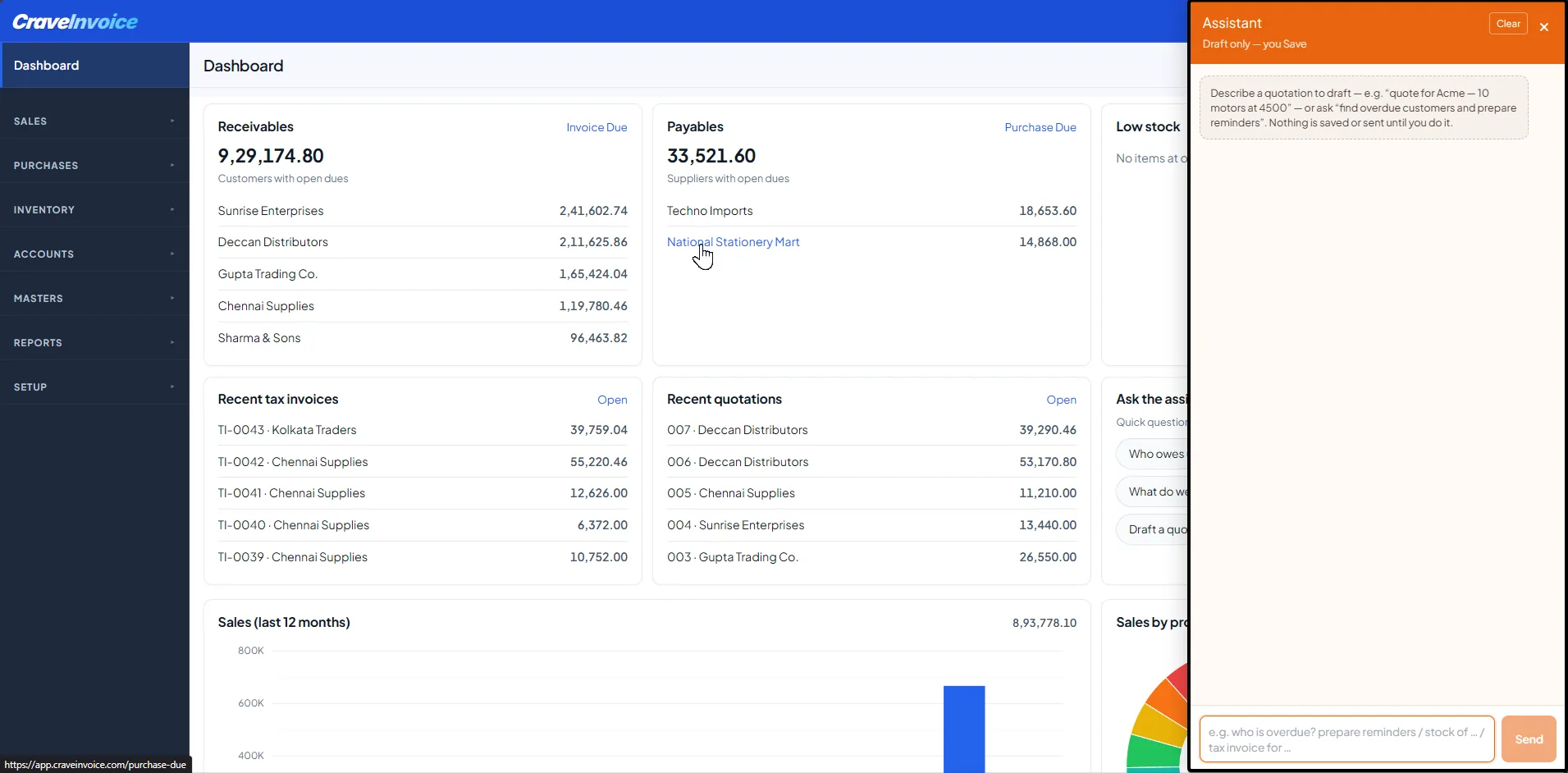
More than a chatbot. Draft documents, chase payments and answer questions about your business — automatically. It’s the start of a growing AI automation layer inside CraveInvoice, built into the web and mobile apps and powered by Anthropic’s Claude.
Running your books shouldn’t mean hunting through menus. CraveInvoice AI understands your actual data. Your customers, items, stock and dues, so you can just ask, and get answers or ready-to-review drafts in seconds.
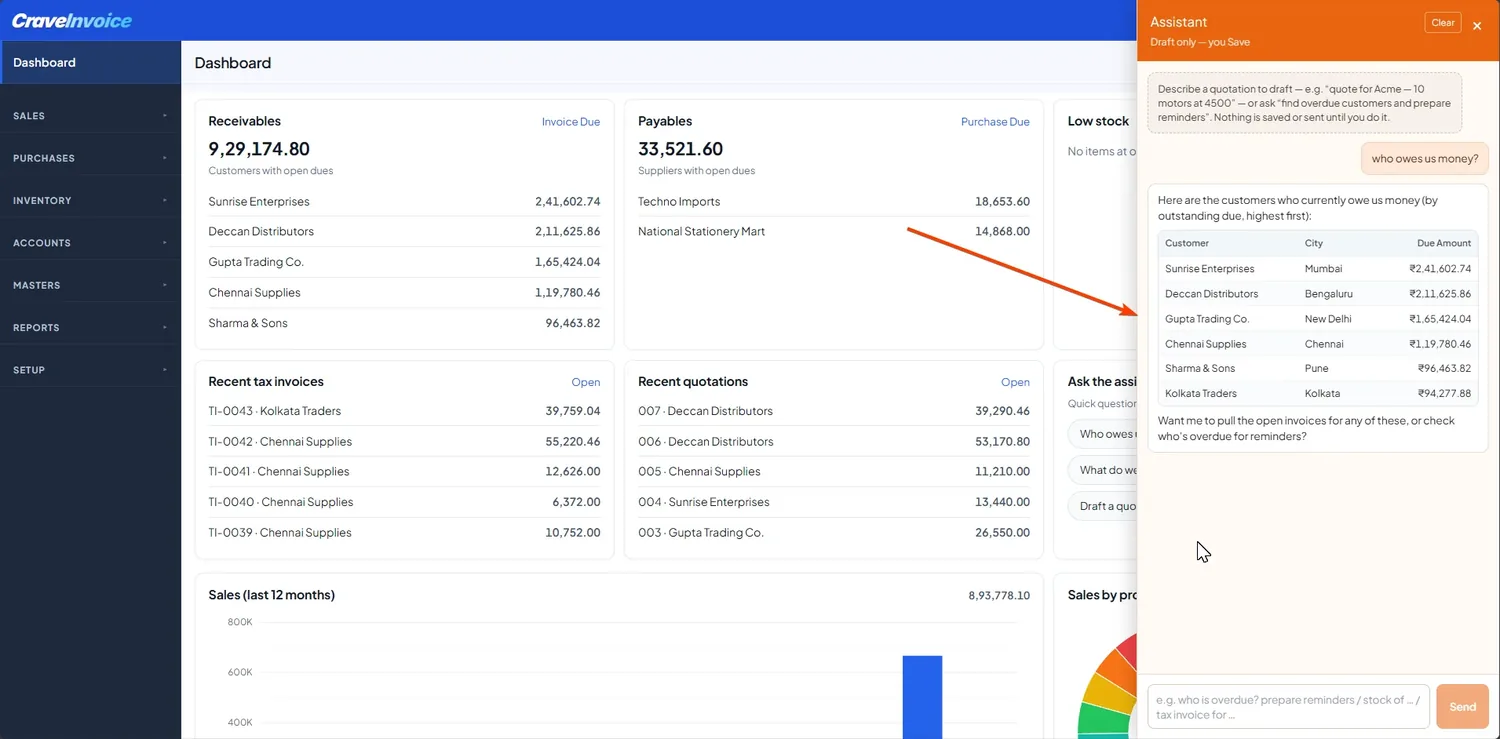
No report to open or filter to set — just ask, the way you’d ask a colleague.
Say what you need — for example “quote for ABC, 10 units of X”, and the assistant drafts it. It works for quotations, tax invoices, sales orders and proforma, not just quotes. It looks up the customer, items, default tax, rates and the next document number, then hands you a draft to review. If a name matches several customers, it asks which one you mean.
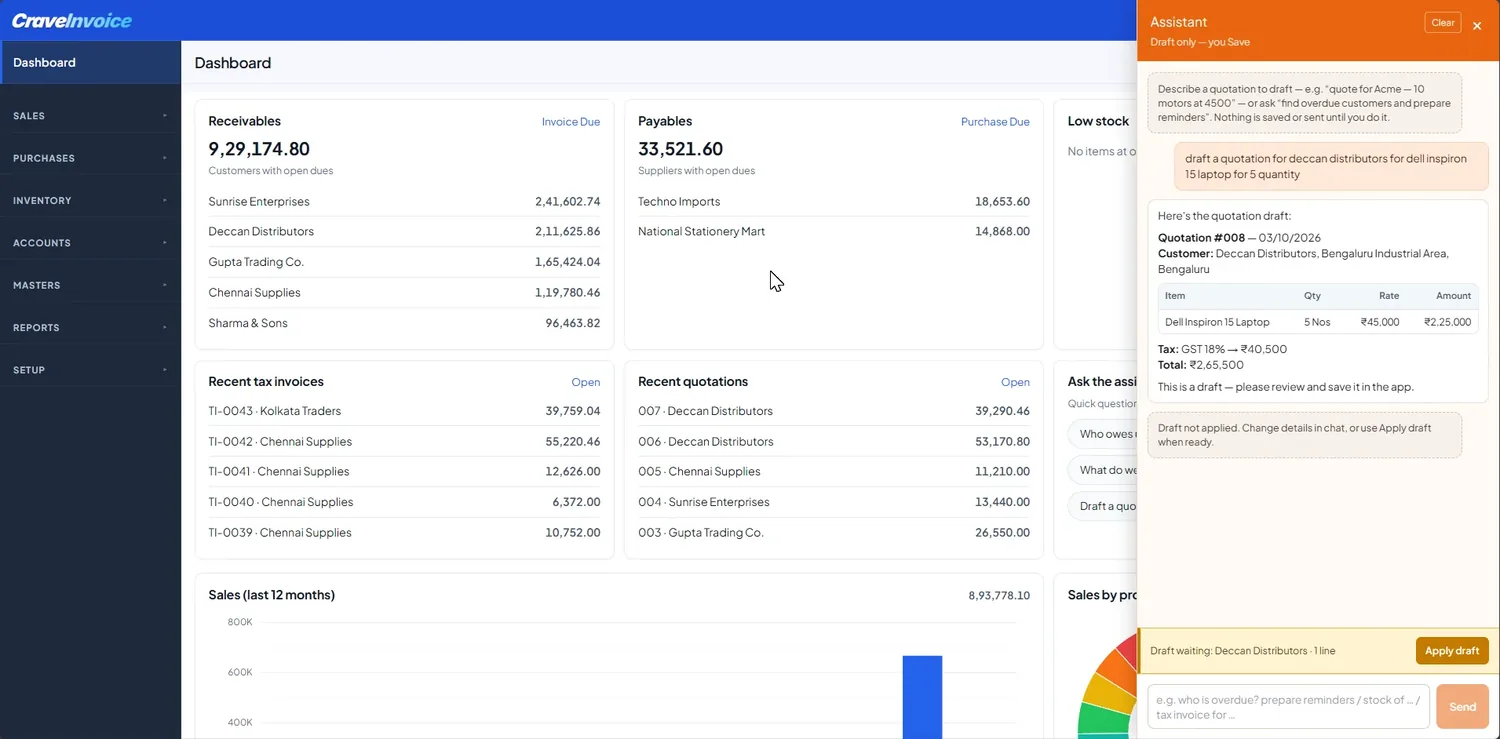
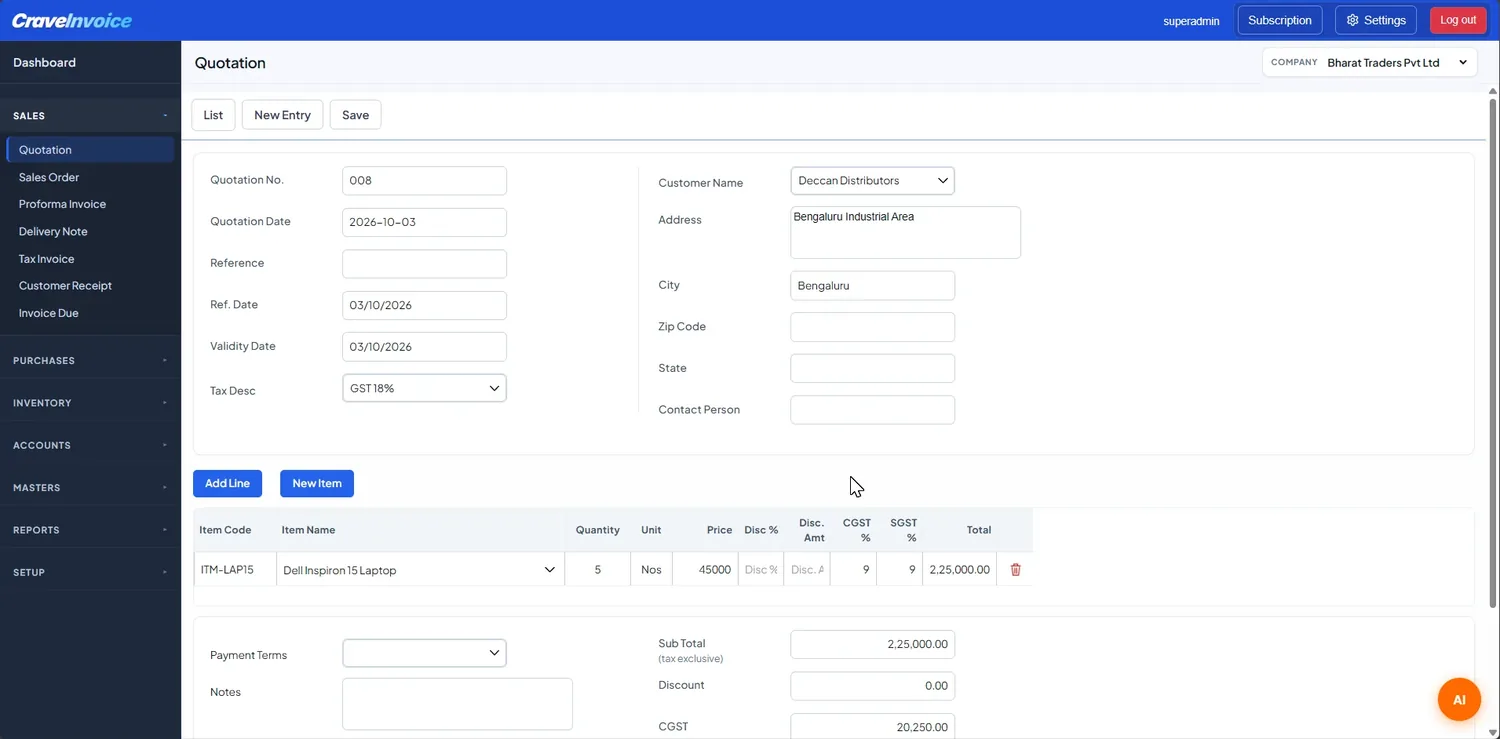
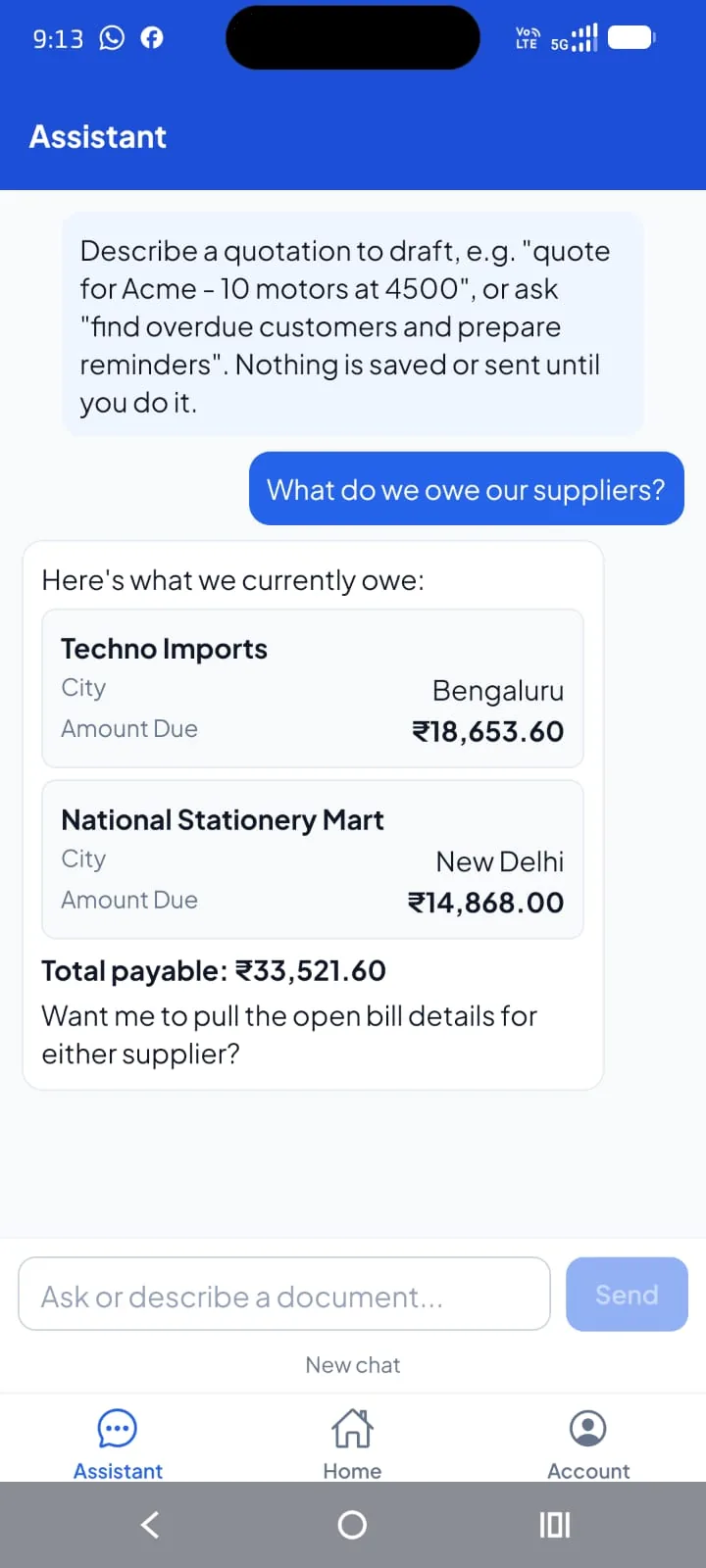
On the web app, a floating assistant is on every screen and knows where you are, with starter suggestions on your dashboard. On the mobile app, a dedicated Assistant tab gives you formatted replies and quick prompts — who owes us, what we owe, check stock, draft a quotation.
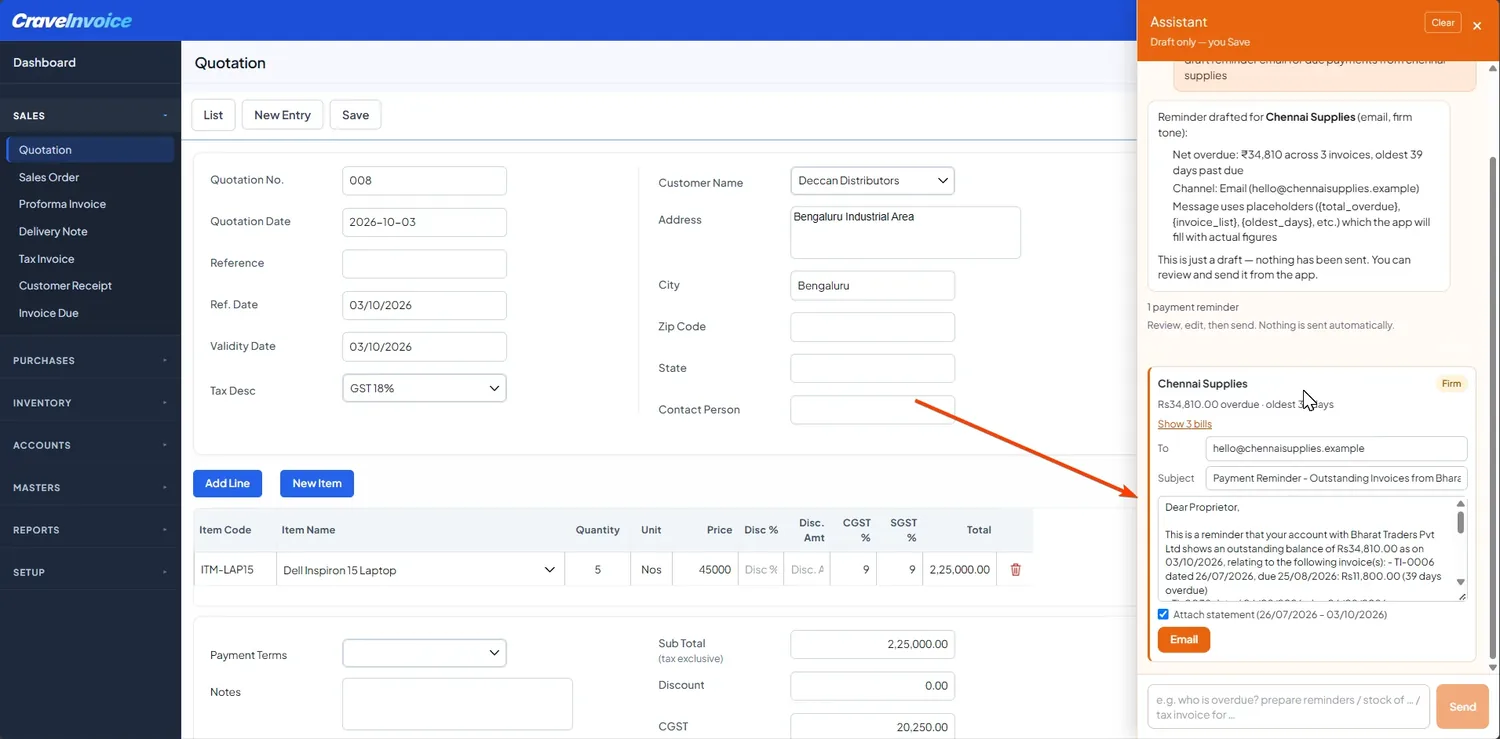
The assistant drafts payment-reminder emails for your overdue invoices, with the right tone for how late they are. It attaches the customer’s statement and gives you a one-tap WhatsApp link, so collecting is a couple of clicks.
An assistant for your accounts has to be accurate and safe. Here’s how we keep it that way.
It works from your actual customers, items, tax and figures. It never invents records or numbers.
Every answer is scoped to the company and financial year you’re logged into — nothing leaks across accounts.
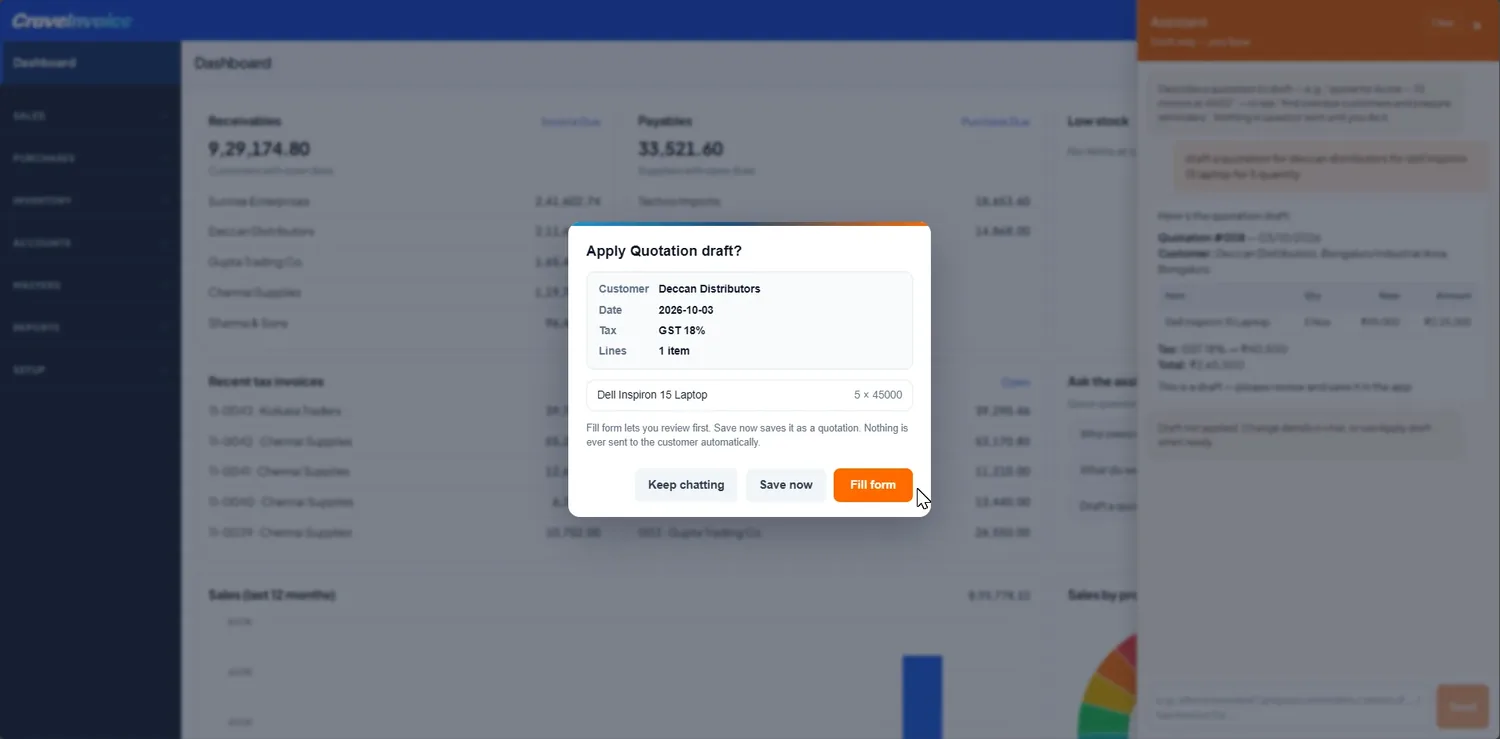
It only tells you something is saved when it genuinely is, and it drafts for your review before anything is recorded.
You decide whether to fill the form or save. Permissions still apply, just like anywhere else in the app.
Built on Anthropic’s Claude, one of the leading AI models, for reliable, natural answers.
Your business data is used to answer you, not to train AI models.
Cloud only. CraveInvoice AI is available in the CraveWeb app and the mobile app. It isn’t part of the desktop version.
It’s included with the Professional plan (25 requests a month), and you can add larger packs any time. See the AI automation add-ons on the pricing page.
Today the assistant answers questions and drafts sales documents (quotation, invoice, sales order, proforma). It doesn’t edit or delete records, send documents on its own, or draft purchase documents yet — more is on the way. On mobile, tax-invoice drafts aren’t supported yet; use the web app for those.
Sign up for the cloud version and put your accounts to work with AI, no credit card required.